Your Cisco ACI fabric, finally under control.
Day2Fabric is a self-hosted layer on top of APIC: operate the fabric, deploy changes safely and design what comes next — with every ACI concept explained in plain words, so the whole team can work, not just the one expert. It ships as a containerized stack on Docker Compose, with an offline bundle for air-gapped sites.
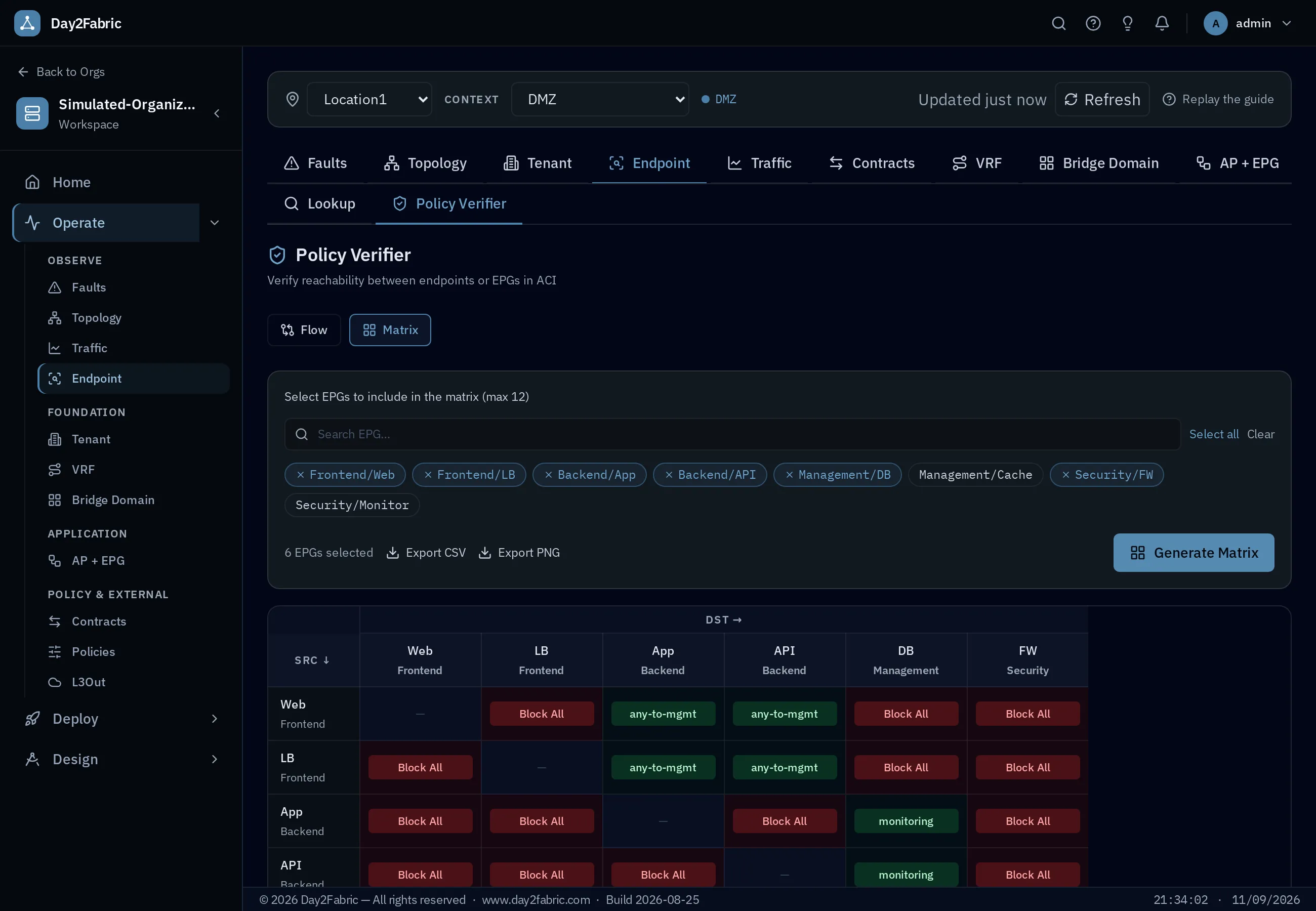
Operate, deploy and design — one workspace, three sections
The workspace mirrors how the fabric is actually run. Each section is a menu in the product, not a marketing phase — and every role finds its place.
See what the fabric is doing
Faults with root-cause hints, live topology with a node inspector, live traffic, endpoint lookup and the Policy Verifier — plus read views of every tenant, VRF, bridge domain, EPG, contract and L3Out.
Ship changes safely
A guided Getting Started, one page per ACI object with an explanation on every field, naming conventions enforced at creation, bulk import from CSV with automatic rollback, and a scheduler for change windows. Read-only and demo modes keep you safe.
Plan what comes next
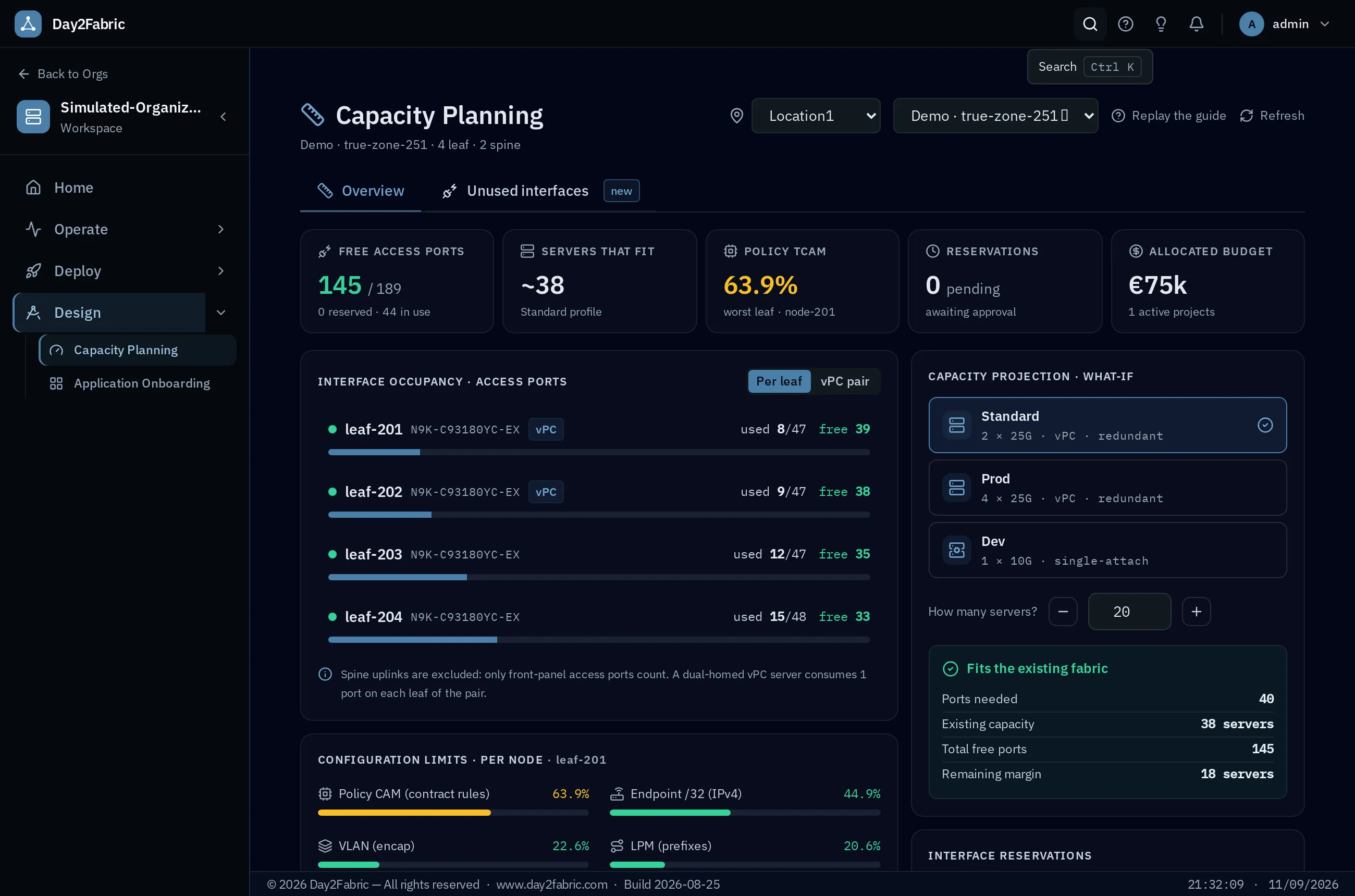
Capacity Planning with real port headroom, policy-TCAM limits, what-if projections and reservations; unused-port detection; and an Application Onboarding wizard that turns an app into tenant, EPGs, BDs and contracts — previewed as a reachability matrix before any APIC write.
It can't break your fabric unless you let it
Every fabric is read-only by default. Write capability is detected from APIC roles, never tested. Demo mode fakes writes; Simulated mode needs no APIC at all. You decide when Day2Fabric is allowed to touch production.
default
required
Fabric modes
See it in action
Straight from the product — these are actual screens, not marketing mock-ups.
What Day2Fabric already does
Not a roadmap deck — these are the capabilities running today.
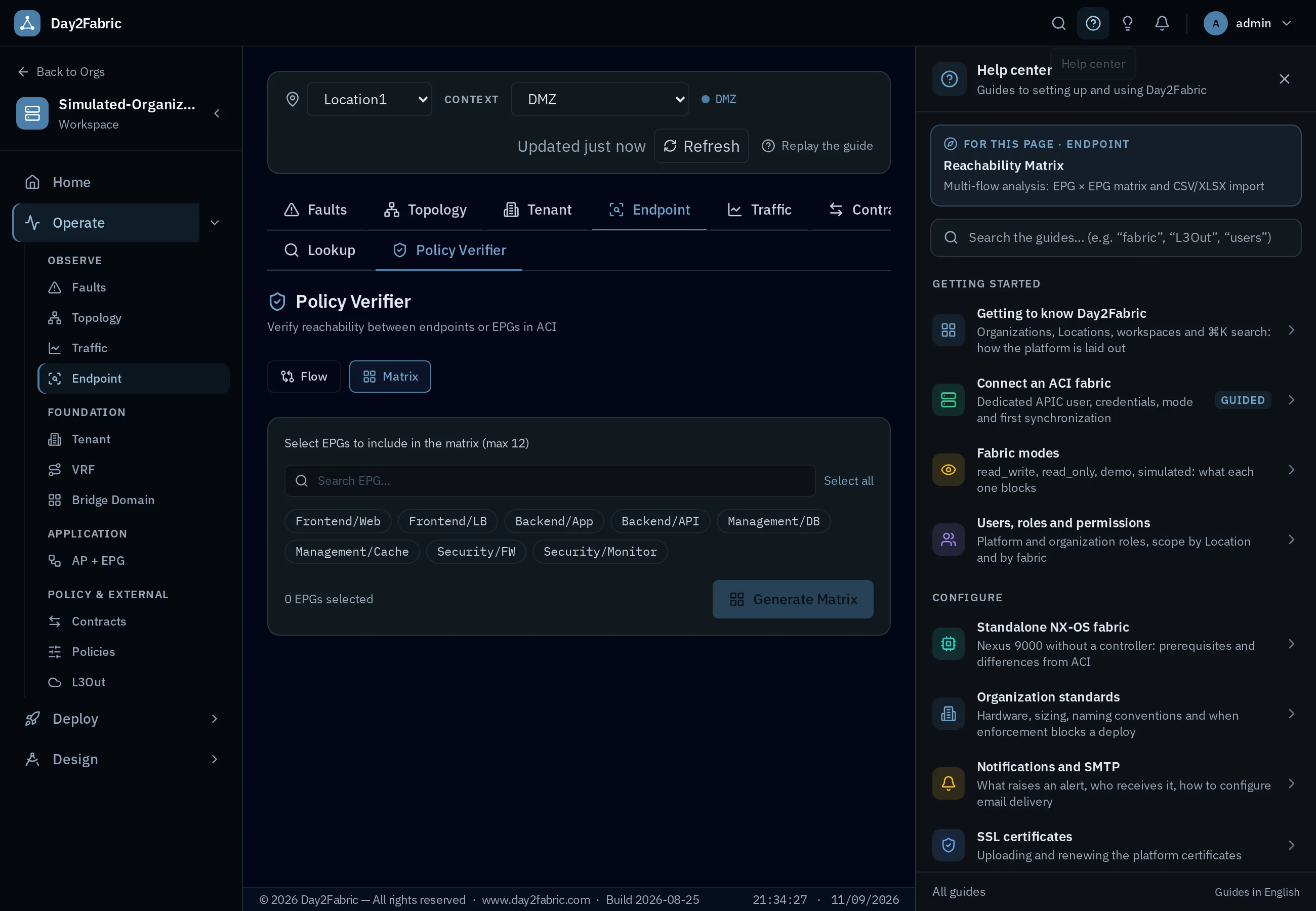
Policy Verifier
Answer “can A talk to B?” the way the fabric decides — contracts, vzAny, Preferred Groups, Taboo, unenforced VRFs — in Matrix or Flow mode.
Simulated Fabric Mode
A realistic, fully synthetic fabric from a seed — no APIC. Demo, train and build against it; writes persist, reset wipes them in one click.
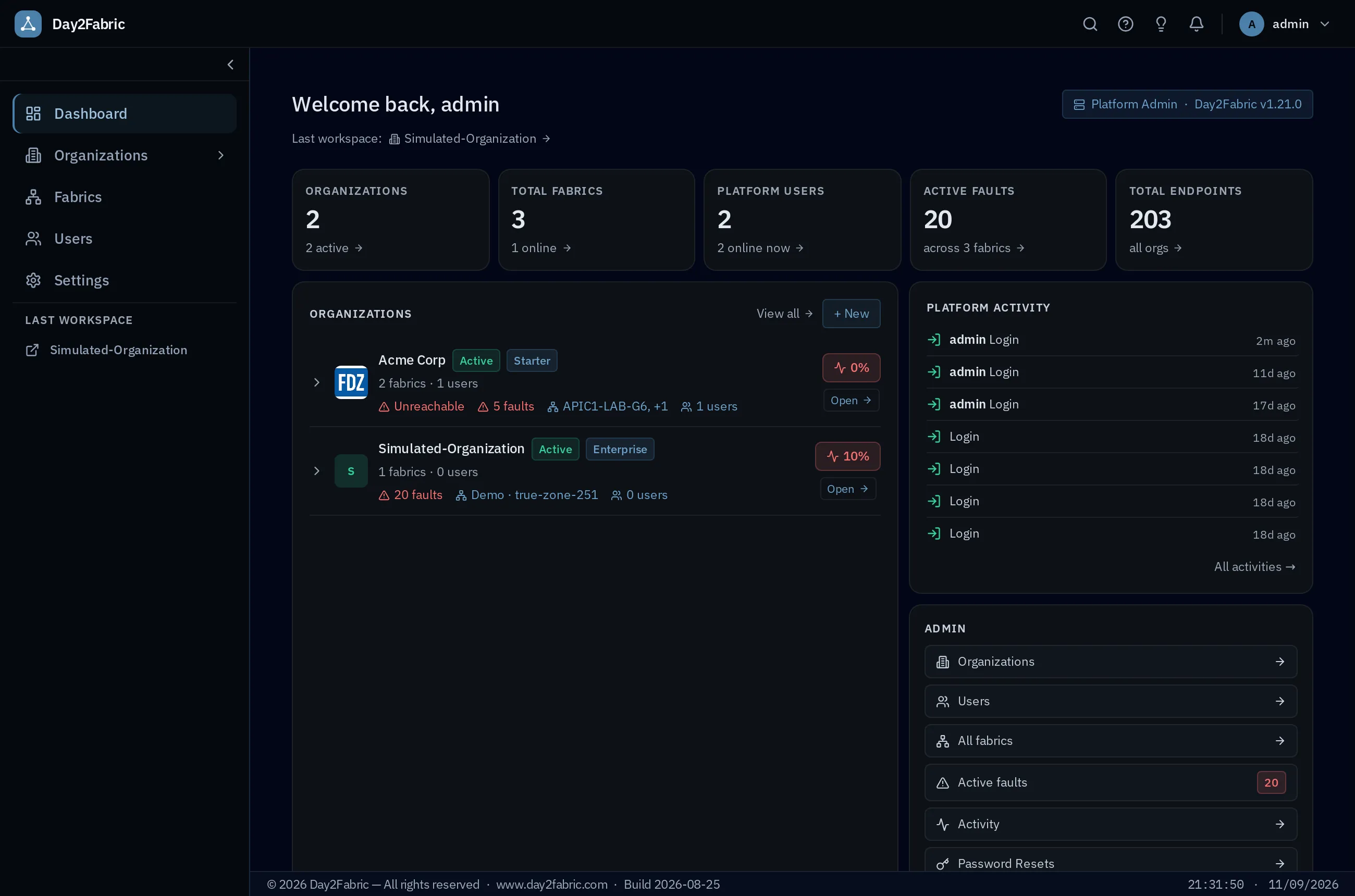
Dashboards & health
Super Admin and per-org Workspace dashboards: weighted health score, fault counts by severity, unreachable-APIC detection and an in-app notification center — platform-wide for MSPs.
See the dashboard →Activity Monitor & audit
Every platform event logged and correlated to the session that caused it. Who did what, when and from where — with a Sessions page and configurable retention.
Schedule Activities
Plan change windows: add/remove ports to EPGs, modify contracts, with bell notifications to the right roles at the right time.
Asset Inventory
Every node — ID, name, fabric, location, model, serial, OOB IP, software — in one filterable table, exportable to XLSX.
Organization Standards
Org-level standards that every deploy respects: naming conventions enforced per object, hardware catalog and fabric sizing, and a deployment approach — network-centric, application-centric or per location — with per-location overrides.
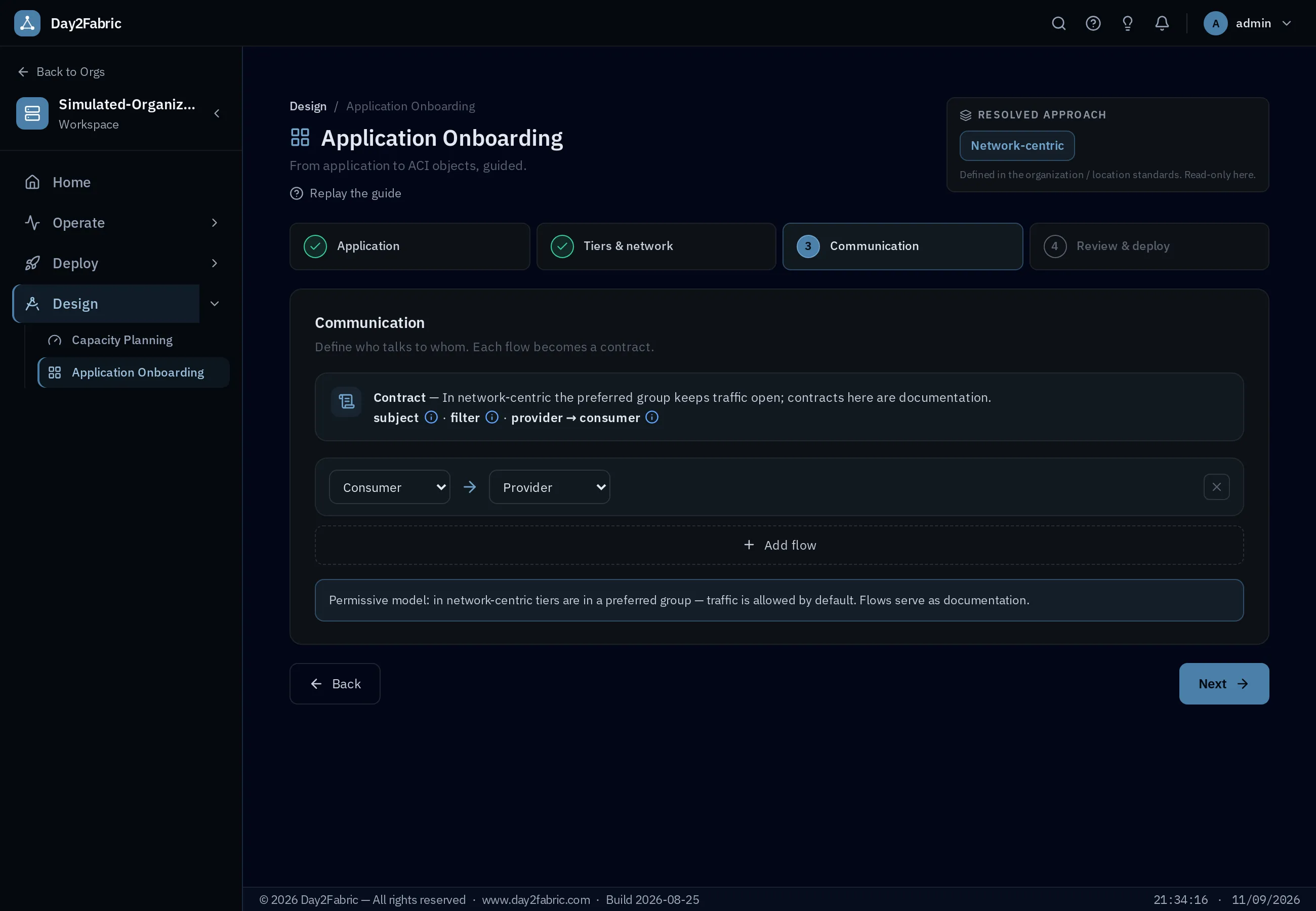
Application Onboarding
A four-step wizard that turns an application into tenant, EPGs, BDs and contracts — previewed as a reachability matrix before any APIC write, deployable now or scheduled.
Bulk config & rollback
Define changes from a CSV or a guided template — full stack, EPG clone — and apply them atomically: if one object fails, everything already written is rolled back.
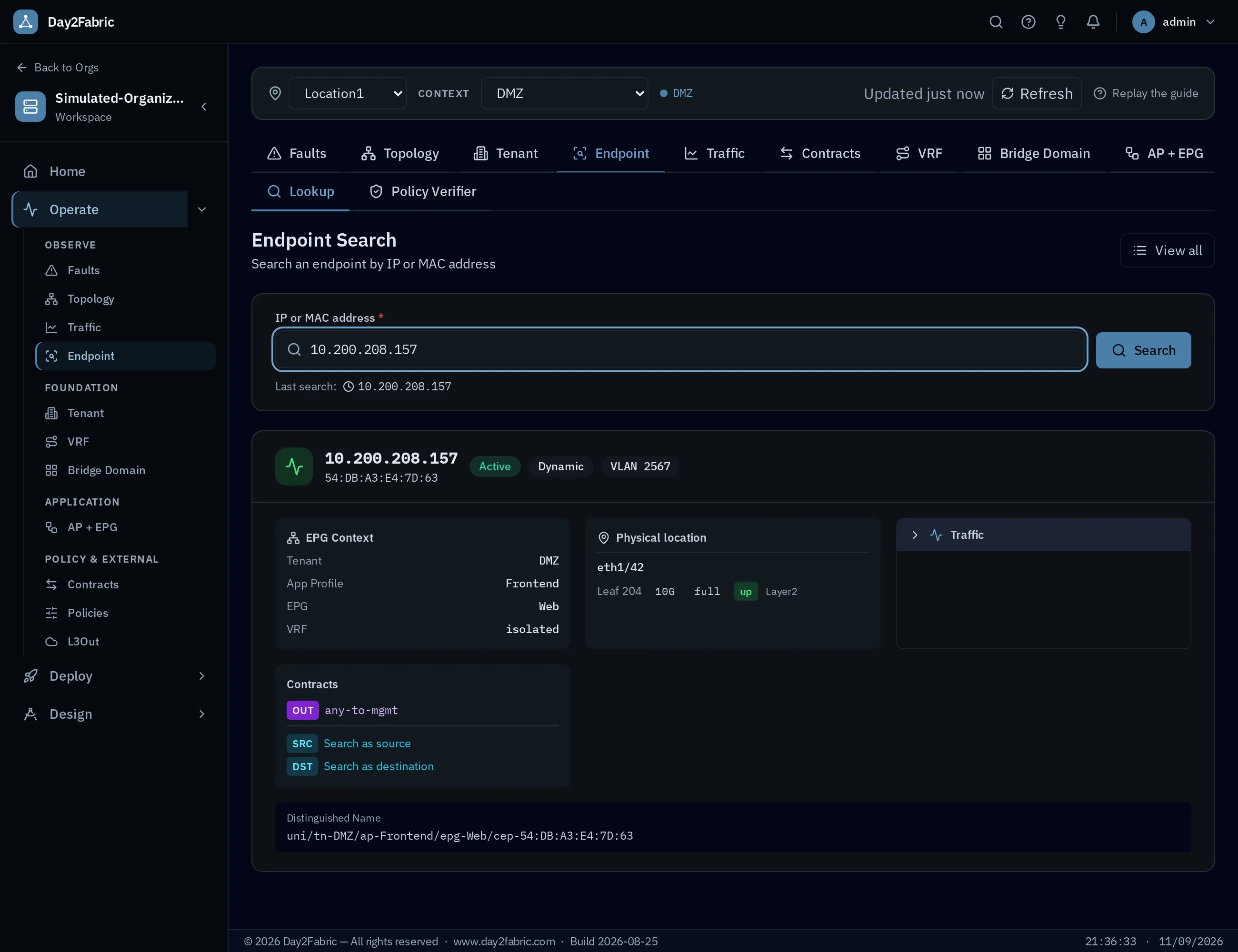
Endpoint Search
Find any IP or MAC and see exactly where it lives — tenant, app profile, EPG, VRF, contracts and DN — then pivot to it as source or destination.
Capacity Planning
Interface occupancy per leaf and vPC pair with spine uplinks excluded, policy-TCAM limits per node, what-if projections, reservations with approval — and a list of ports that have sat unused for too long.
Multi-fabric, Locations & RBAC
Organizations, locations and fabrics under one platform, with roles scoped by organization, location or fabric and per-org workspaces — the foundation for MSP and large-team use.
Help center
A persistent in-app help drawer with 22 guides in 5 sections, contextual to the page you are on. Four guided paths check your fabric live as you go: connect a fabric, verify a policy, deploy objects, configure interfaces.
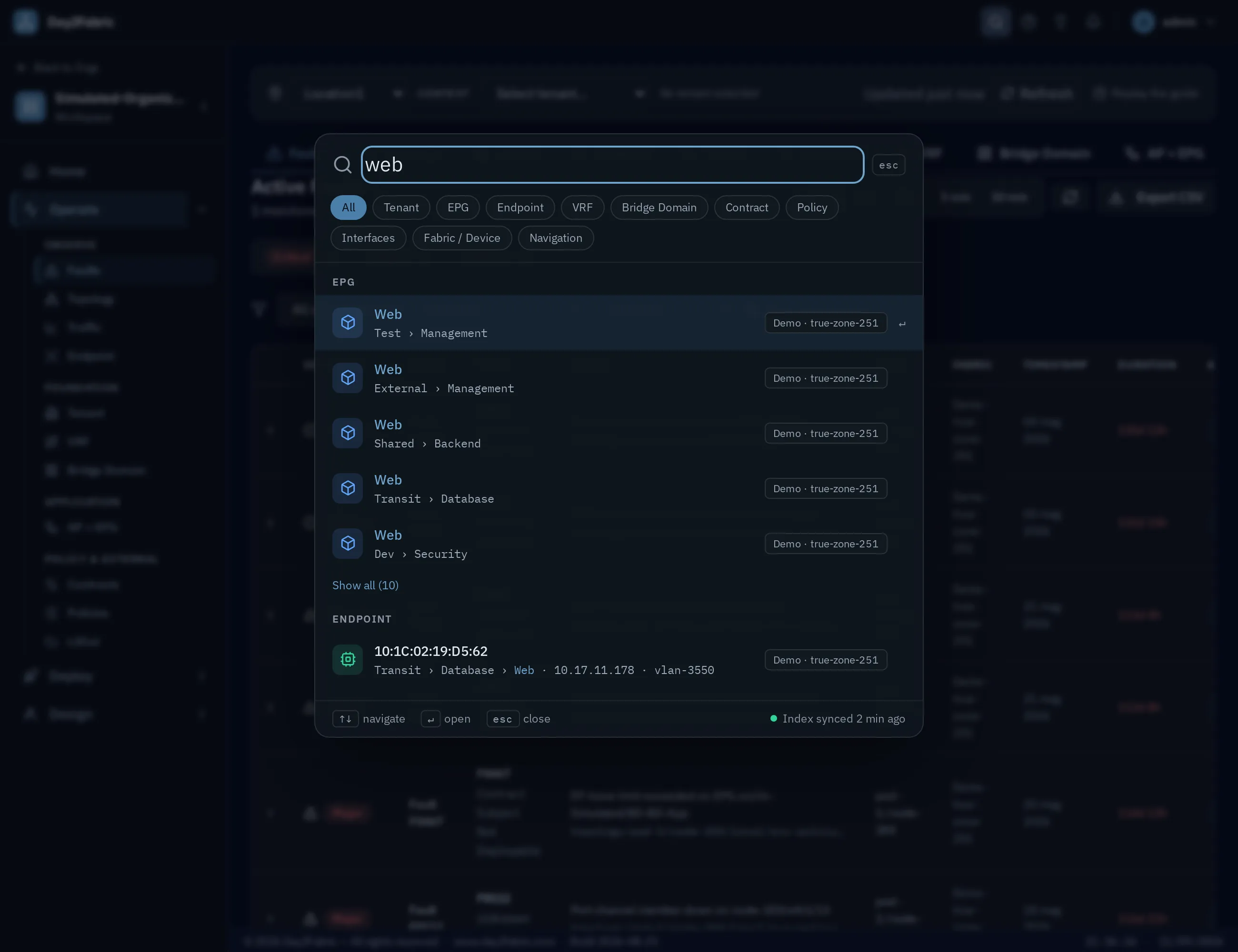
Universal search
Press ⌘K and find any tenant, EPG, endpoint, VRF, bridge domain, contract, policy, L3Out, interface or device across your fabrics — verified live before you jump to it.
Topology & node inspector
The fabric as a graph or as an asset table, and a node inspector with hardware, interfaces, port-channels, metric history and counter baselines — with shut / no-shut for operators.
Built for larger, regulated networks
Everything in the platform, plus the capabilities bigger teams and security-led organizations ask for first — some shipped, some on the roadmap, and we say which.
NX-OS support Extension · monitoring
Standalone Nexus 9000 alongside ACI, in the same workspace: devices, interfaces, VLANs, VRFs, CDP/LLDP neighbors and health today — provisioning on the roadmap, validation on physical Nexus pending.
see the ACI & NX-OS coverage matrix →Priority support & SLA Enterprise
A direct line to the people who build Day2Fabric: priority response, defined SLAs and guided onboarding — plus an enforced read-only service account and air-gapped offline licensing. Kubernetes packaging on request (roadmap).
SSO Enterprise · roadmap
Single Sign-On through your identity provider — OIDC, SAML and LDAP (Authentik-ready). Central identity, no local accounts to manage, with a platform admin always available.
Zero Trust Enterprise · roadmap
Least-privilege segmentation you can prove: contract-by-contract verification across tenants, with continuous posture checks and drift alerts on the roadmap.
LLM Gateway Enterprise · roadmap
On-prem AI assist, model-agnostic — Anthropic, Azure OpenAI, Bedrock or a local Ollama. ACI context is injected into the prompt; your data stays in your environment.
Audited jump-host Enterprise · roadmap
A browser-based, audited SSH gateway to the fabric — credential brokering and full session recording. For environments where direct OOB access is locked down and every keystroke must be accountable.
The things people ask first
Do I have to give it access to my APIC?
Does my data leave my network?
Does it replace APIC?
How is it licensed?
What's in the Enterprise bundle?
How do I install it?
See it on a real example
Tell me what's painful about your current setup and I'll tailor the walkthrough around it — on a simulated fabric, or a screen-share of yours. No slides.
- Book a slot and tell us what you want to solve.
- We demo it live on a realistic fabric — no setup or APIC access needed.
- You keep the sandbox afterwards to explore on your own.
Got it — talk soon.
We'll reach out to schedule your demo.